Automating the Entire Edit Without a Timeline From Rough Recording to Export
Five automated stages take a raw recording to export, and the tool you choose matters.
Modern AI editing tools can take a rough recording to an export-ready video without manual timeline cuts, using transcripts, silence detection, and context to make editing decisions. Agentic video editing takes this further by letting software plan and do the work from plain-language instructions. The timeline is now optional for many speech-led videos, but choosing the right workflow, and giving it useful material, still determines the result.
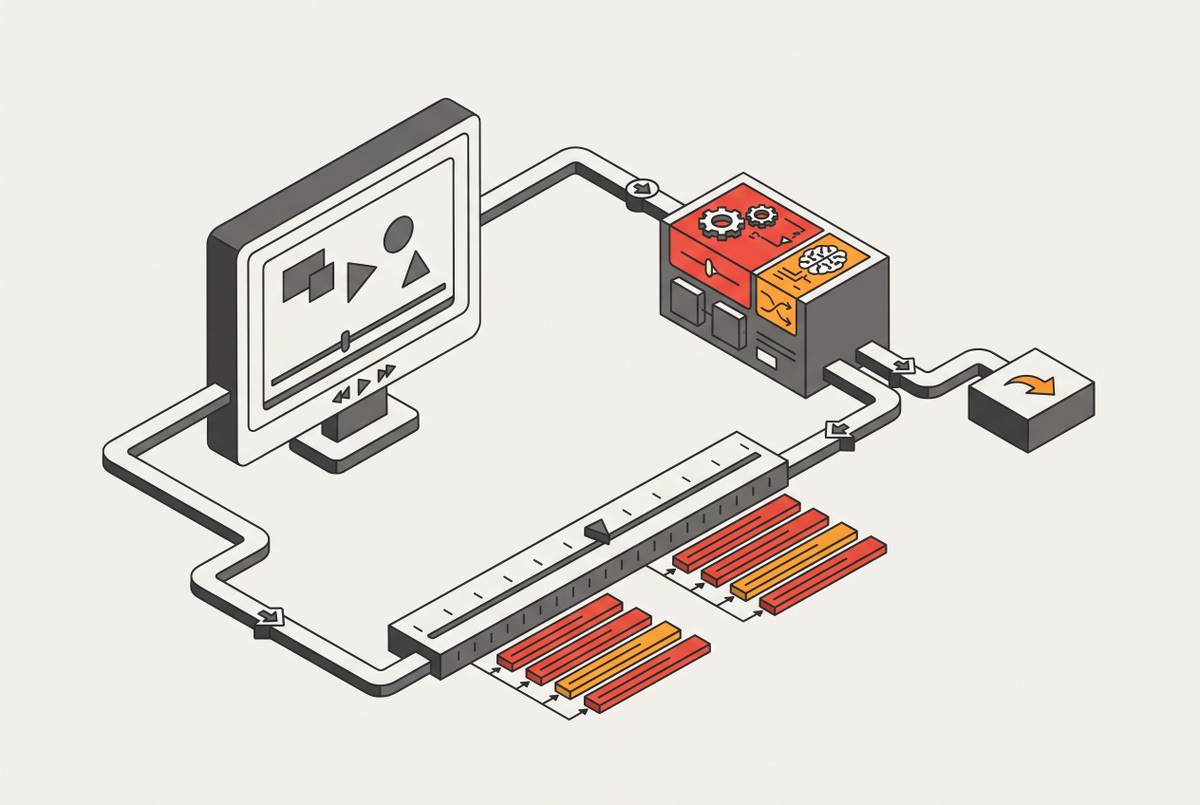
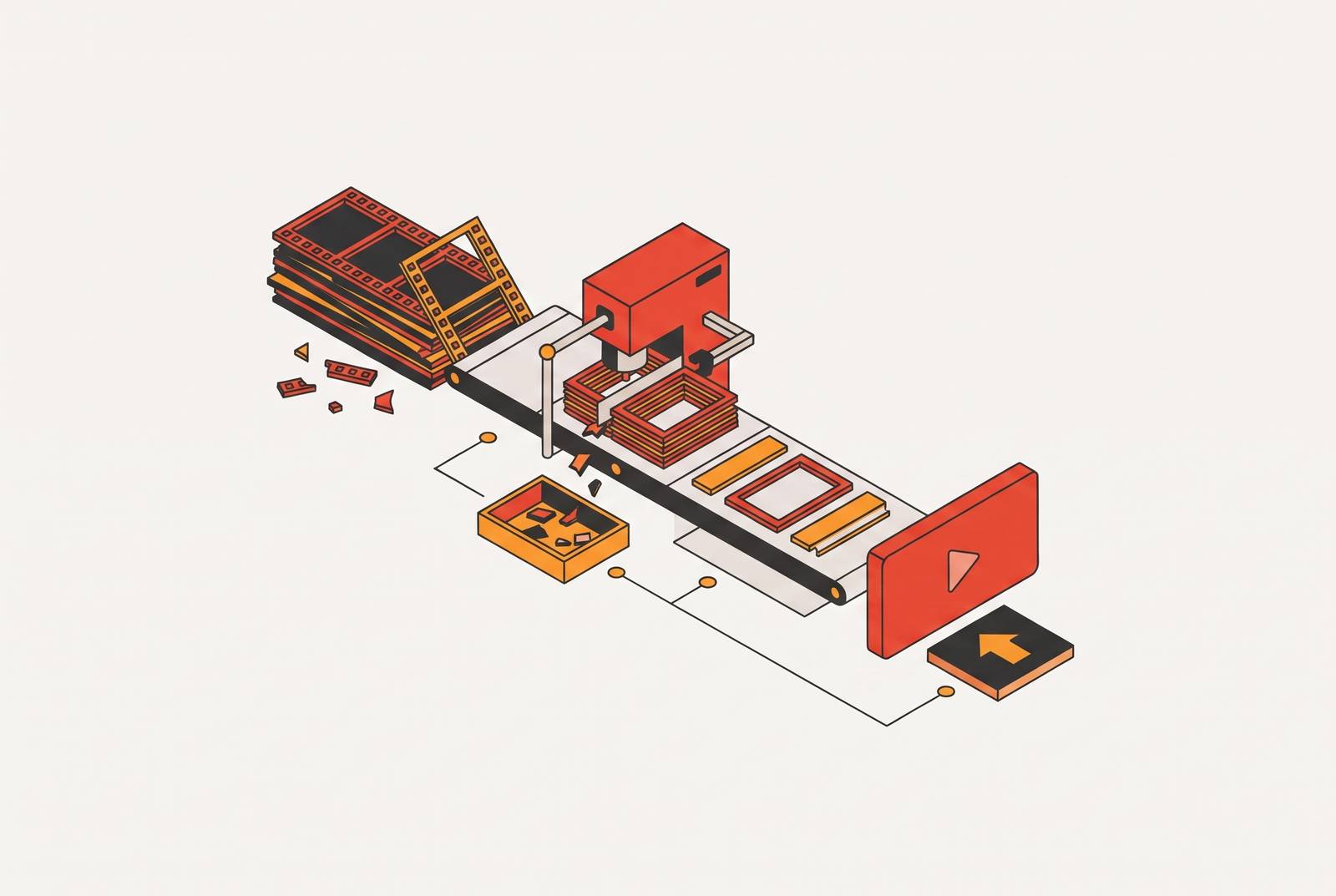
A raw screen recording can reach export without a timeline in five automated stages. Intake and transcription turn the file into searchable text, silence and filler cleanup removes pauses and "ums" with automated jump cuts, structural assembly selects and sequences the useful passages into a rough cut, captions and visual polish are added from the transcript, and the finished file is rendered for export. What remains is a review of the result, correcting it by editing the transcript if needed, and a recording that gave the system a clear point to work with.
Why the timeline became the bottleneck, not the editor
A timeline asks someone with a useful explanation to become a part-time clip engineer. The person recording has to work with frames, tracks, and clip boundaries in place of ideas. The interface makes sense for detailed editing, but it is a poor starting point for someone who simply needs to explain a product.
Raw recordings need syncing, cleaning, silence-hunting, and rough-cutting before the story takes shape. Much of that preparation is repetitive and rule-based, which makes it suitable for automation. Yet in a traditional workflow, it spends the same person's attention that pacing and emphasis need later. The “um” has somehow become the project manager.
Two separate jobs create this backlog. Technical cleanup removes pauses, filler, and sync problems, while structural assembly decides what stays and in what order. Automating only cleanup leaves the person recording with a tidier pile of clips. When both jobs are automated, the video can come back already put together.
How AI reads a recording without a timeline: transcripts, silence, and context
Before an automated system can edit, it needs to interpret the recording. This analysis stage is distinct from transcript editing. It reads three layers of signal: audio waveforms, language, and context. Together, these layers tell the system where someone speaks, what they say, and which parts belong together.
Silence detection works below the level of language. It examines raw audio for pauses and dead air without needing to understand a sentence. Filler removal requires speech recognition because identifying an “um” is different from detecting an absence of sound. Both may be part of the same cleanup pass, but each deals with a different problem.
The transcript then gives the recording a document-like structure. Deleting a sentence can remove the corresponding video segment, while rearranging paragraphs can rearrange clips. That is word processing with moving pictures attached. It gives non-editors a familiar way to correct an automated result without learning frame-by-frame controls.
Context-aware sequencing works above those words, inferring topic relevance, emotional emphasis, and conversational peaks. Vizard Agent illustrates this approach by reading the full context before cutting, so a clip can contain a clean beginning, a complete thought, and a natural ending. The distinction is between obeying a cut instruction and inferring what belongs in the cut. Although the layers inform one another, they can also run in sequence on one recording, handing their output forward to make end-to-end automation possible.
How can I go from a raw screen recording to a finished exported video without touching a timeline editor?
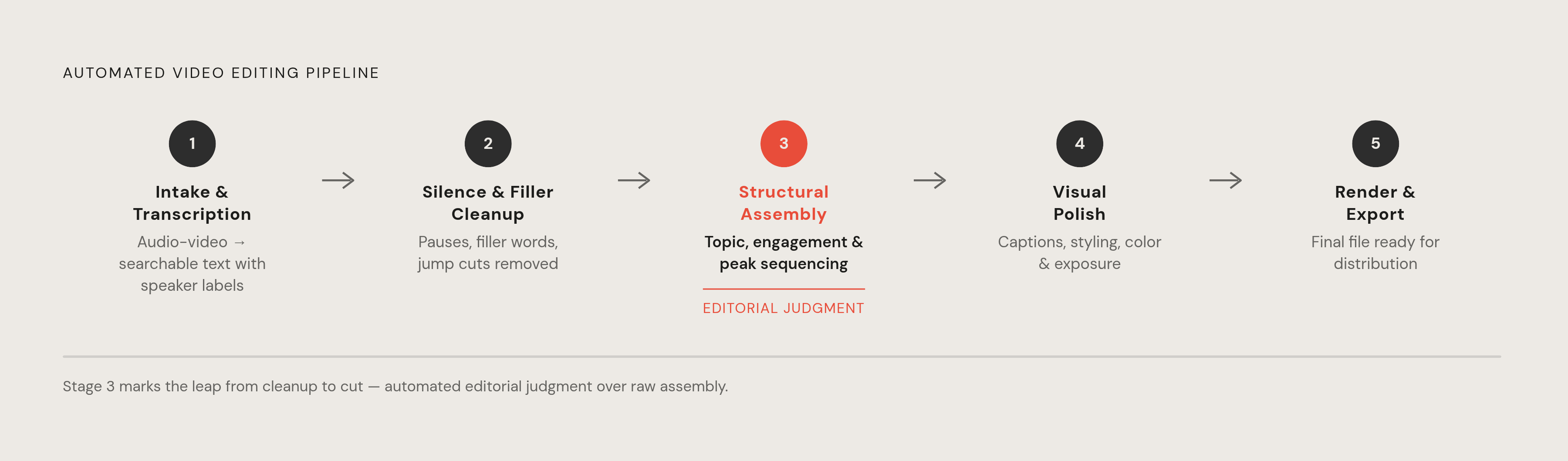
A complete automated edit has five stages. Consider a person recording a talking-head product explanation, pausing to gather a thought and restarting a sentence before finishing. After they hit stop, intake and transcription turn the audio-video file into searchable text, with speaker labels where needed. That text becomes the working document for the stages downstream. The person no longer has to hunt through the recording to find each spoken passage.
The second stage handles silence and filler cleanup. Audio thresholds identify pauses, while transcript-level recognition identifies filler words, and automated jump cuts remove the selected portions. This establishes a baseline pace before structural decisions begin. Maximum removal is not automatically better, though. Too much cleanup can make speech sound unnatural, so thresholds that can be adjusted let the system leave breathing room rather than turn an explanation into a hostage statement.
Structural assembly is the third stage, where the system selects and sequences passages into a rough cut using topic relevance, engagement signals, and conversational peaks. For the product explanation, this means assembling the useful parts into a coherent account of what the product does. In footage-based workflows, tools can also separate A-roll from B-roll, process multiple camera angles, and compare takes before returning an assembled cut.
The fourth stage adds captions, subtitles, and visual polish. Captions come from the transcript and receive automatic styling, while color grading and exposure correction can run clip by clip. The fifth stage renders the finished file for export and sharing. What comes back is an assembled, captioned, visually corrected explanation ready for review and distribution. Which of these stages happens automatically depends on the chosen tool.
Where the automation forks: auto-editing footage vs. generating a video from a brief
Does the recording already exist? If it does, the task is auto-editing footage, where the system removes silence, adds captions, finds highlights, or reframes an existing recording. The unit of work is the material supplied, and the person using the tool still reviews and optionally adjusts the result. This model fits screen recordings, product walkthroughs, interview clips, internal communications, and async video messages.
If no footage exists, a video agent solves a different problem. It takes a brief, script, or URL, then plans, generates, and sequences a finished video. Pexo operates at this level rather than functioning as an editor with a few AI assists. One workflow edits what happened, while the other creates the material needed to express a goal.
Within either category, two criteria help separate the options. Automation depth describes how many manual steps disappear, while control retained describes how much can be adjusted afterward. Matching the tool to the task determines whether automation removes timeline work or merely relocates it to another screen.
What AI tools can automatically edit videos without manual timeline work in 2026?
No one tool is best at every stage. To compare tools, start with what goes in, what should come out, and how much of it someone will need to review. Recording and editing in the same tool also removes the export-then-import handoff that can break an otherwise automated workflow. Tools that automate only one specialist task do not offer that convenience.
For transcript-based clip extraction and social repurposing, Vizard Agent is the fit among these options for existing speech-led footage. It uses context to find complete passages as it shortens recordings. Prompt-driven editing also lets non-editors request a cut in ordinary language, such as “find the moment where the speaker addresses objection X.”
For a short explainer or promotional clip with no recording available, Pexo is the most automatic brief-to-video option here. It accepts a description or script and returns an edited, scored file built from generated assets. That makes it a different purchase from a footage editor. It supplies the video as well as the edit.
For visual finishing, Runway's AI color suite allows a look to be described in plain language or copied from a reference image through AI Match. DaVinci Resolve 21, announced at NAB 2026, adds CineFocus synthetic depth-of-field, AI Face Reshaper, AI Blemish Removal, and AI Motion Deblur, all running on device. These options suit teams that want to do more of the finishing work themselves, including those that want professional-grade correction without sending files to the cloud and back. They are not interchangeable with a brief-to-finished-video agent.
For teams building repeatable automated workflows, Kinocut provides a free, open-source MCP server that wraps FFmpeg with typed tools. Its most recent release exposed close to 200 editing tools to MCP-connected agents, including Claude Code and Cursor. It checks a render for problems before execution and issues an inspectable Video Receipt afterward. This is the most technically demanding option in the group, but also the most powerful for teams connecting an agent directly to an editing toolchain.
What the pipeline still cannot decide without you
Selecting a coherent passage is not the same as knowing whether an opening earns attention. Context-aware systems can identify apparent importance from language and engagement patterns, but they cannot yet judge reliably whether a narrative arc lands emotionally. Editors with experience can still make a big difference to pacing and shot selection. The system can make these choices without making them well enough for every purpose.
In talking-head content, the words give the system a natural way to find ideas and places to cut. A montage or B-roll-heavy sequence has much less of that structure, so timeline-level tools work better for footage that relies mostly on what is shown. A transcript cannot do much with a meaningful look across a room.
Trust also requires more than a finished file. An agent that resubmits after a content-moderation rejection can multiply compute costs without producing usable output. Pre-flight validation, such as the render checks described above, addresses one class of avoidable failure, while a fully black-box process provides no equivalent inspection. Automation and trustworthy automation are not synonyms.
Non-editors can improve the script, sharpen the opening, and make the brief more specific rather than assuming cleanup will compensate for weak material. These tools replace much of the technical work, while a reason to watch remains essential.
How to record so the automated pipeline has what it needs
Preparation for automation means reducing noise and ambiguity and requires no studio. Before recording, close tabs that are not needed, turn off notifications, and clear clutter from the desktop. Use a demo account with clean, relevant data so the screen supports the explanation. These steps keep visual distractions out of the material the pipeline must process and the audience will eventually see.
Give the recording a useful shape from the start. Put the value proposition in the opening seconds and keep the recording close to the intended output length. The notes' practical targets are a brief window for a feature announcement, two to three minutes for a sales demo, and under five minutes for a support walkthrough. This reduces the amount of selection the system must perform before it can assemble the point.
Keep camera and screen recordings separate rather than permanently burning the webcam into the screen capture. Separation preserves the option to switch between screen-only, picture-in-picture, split view, and camera emphasis.
“The report groups results by customer problem” gives the transcript an idea to work with, while “now I click this button” mostly repeats the screen. For small buttons or results, use auto-zoom, and use cursor highlighting when the exact interaction is ambiguous. Shift toward the camera when the spoken explanation deserves more attention than the interface.
Where the pipeline is heading next: predictive editing and performance feedback loops
The next phase aims to anticipate what will perform, using historical engagement patterns and platform-specific audience behavior to prioritize segments. The same recording may therefore produce different “best” clips for different platforms. The clips would differ because of their audiences as well as their aspect ratios.
Platforms already track watch time, replays, and drop-off points, and the gap between those signals and editing decisions is closing. As feedback loops develop, systems will increasingly adjust pacing, length, and structure across future outputs.
Other developments shorten the path to distribution. Some workflows now generate synced captions and dubbed audio together, bringing localization into the main export instead of treating it as a separate production phase. Protocol-connected agents extend automation in another direction by sorting footage, making edits, and assembling cuts from plain-language instructions. In that architecture, a timeline need not be the user's interface, or part of the editing system at all.
The opportunity today is more concrete than that forecast. A team can connect recording, automated editing, and sharing now, while reserving its attention for the opening, the explanation, and the final review. That workflow provides a place to add predictive and agentic capabilities as they mature. The next useful video does not have to wait for its speaker to become an editor.