Silence and Filler Word Removal With Agentic Pipelines
Agentic pipelines merge silence and filler detection into one coordinated edit before rendering.
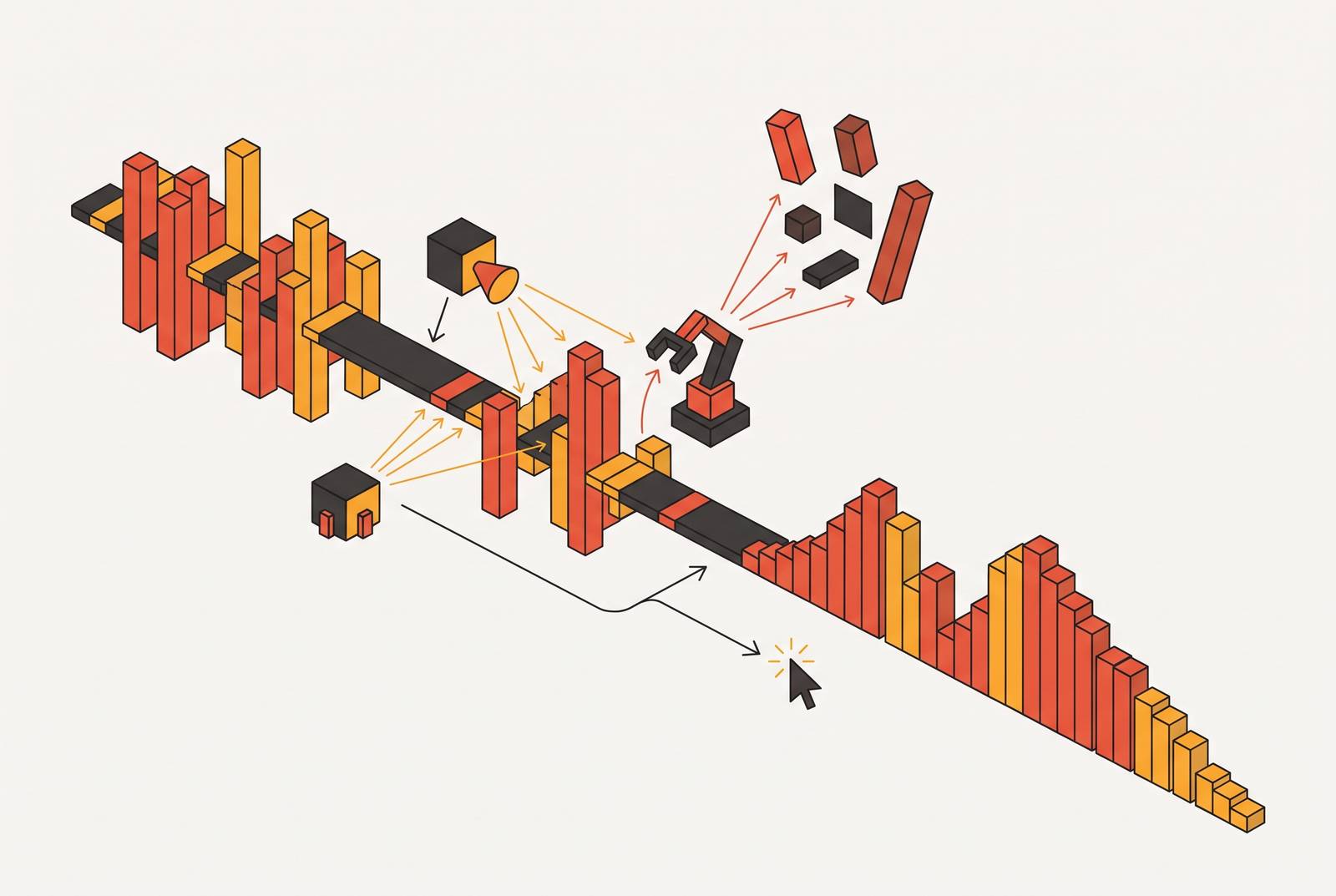
Agentic video editing can remove silence and filler words without a person taking each step on the timeline, but it needs two different detectors. Silence removal analyzes audio, while filler removal depends on a timestamped transcript. The value of an agentic pipeline is coordination, bringing both sets of cuts into one reviewable edit before rendering rather than treating cleanup as two unrelated buttons.
Why silence removal and filler word removal are two different technical problems
A silence detector looks for audio that falls below a loudness threshold for longer than a set duration. It checks how loud the sound is, so it does not need to understand the speaker’s language. A long gap between sentences is a candidate because it meets those audio conditions.
Filler words such as “um” and “uh” register as audio activity, so a silence detector leaves them alone. Finding them requires speech-to-text transcription, followed by matching the target words to timestamps. Audio analysis alone leaves spoken hesitation in place, while filler detection alone misses long pauses between sentences. Both affect pacing, so a workflow that fixes both needs to run the two detectors in sequence.
What distinguishes an agentic pipeline from an AI-assisted tool
The useful distinction is how much coordination the software takes off a person’s hands. In an assistive workflow, someone clicks to remove silence, reviews the result, then separately removes fillers and reviews again. Each action may be fast, but the human remains the orchestrator. An agentic pipeline instead takes an instruction such as “make this episode publishable” and breaks it into subtasks, including transcription, cleanup, caption placement, and export.
For cleanup, the central handoff is a merged edit decision list, which records the ranges marked for removal. Transcription must finish before filler timestamps become available, and both detectors must refer to the same source file. The agent then combines their proposed cuts rather than applying separate destructive passes that can conflict. Without that coordination, a person must manage the order and avoid mismatched file versions.
How a complete silence-and-filler pipeline is actually sequenced
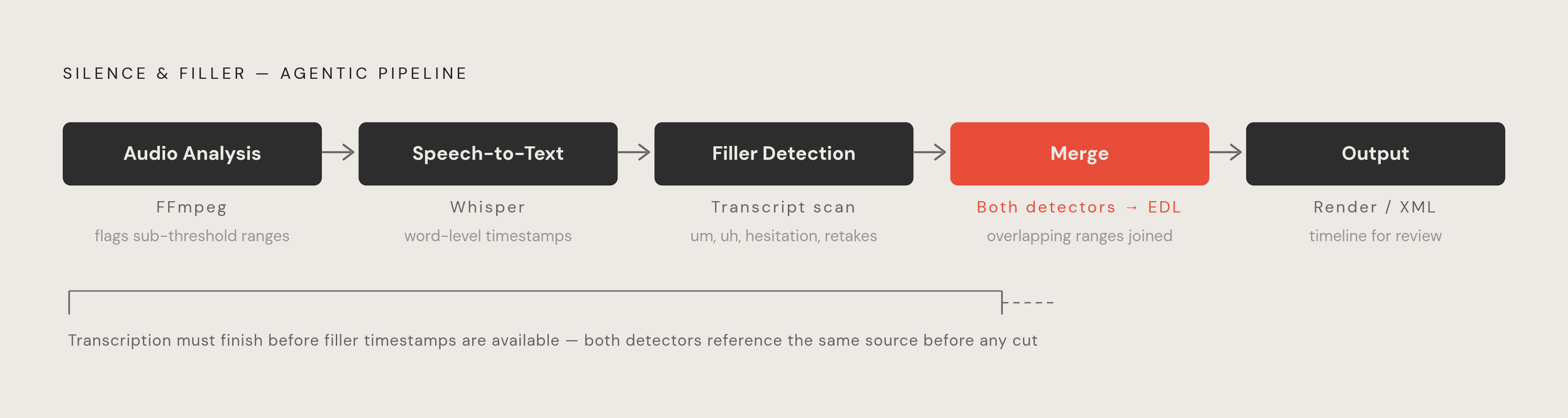
The sequence begins with audio analysis. The agent uses a tool such as FFmpeg to flag parts that stay below the loudness threshold for longer than the minimum duration. Keeping detection separate from cutting lets the next detector check the same source before any of it is cut.
Next, the agent runs speech-to-text, such as OpenAI Whisper, with word-level timestamps turned on. The transcript supplies the language, while the timestamps supply the cut locations. Filler detection then scans for target words and phrases, including “um,” “uh,” hesitation phrases, and retake markers. For each match, it records the start and end times needed for removal.
The merge step combines those timestamps with the silence candidates into one edit decision list. Ranges that overlap or sit next to each other are joined before the agent makes all the cuts in one pass. The output can then be rendered or exported as an XML/timeline for human review. The open-source project yt-hyperframes-agent illustrates this sequence with FFmpeg silence detection, transcripts loaded from SRT or Whisper verbose JSON, and filler and retake detection where word timestamps exist. It merges the cuts before rendering, making the plan inspectable.
An integrated workspace can make the same sequence less cumbersome. Tools like Tella bring recording, transcription, and editing together, so transcription and filler detection can follow recording as part of post-production. The merged edit decision list can be reviewed before rendering rather than requiring separate files and external editing steps.
What agents currently handle reliably and where they still need human judgment
Agents are useful for mechanical work, including transcription, shot indexing, silence and filler removal, caption placement, reframing, and rough cut assembly. Those tasks do not amount to editorial judgment about story order, performance, or fine cut rhythm. A pause can meet every rule for silence while still carrying the point of a sentence. The agent follows the rule. It does not know that the speaker is letting an idea land.
That limit matters most in educational content, where small pauses give listeners time to take in what they hear. Aggressive cleanup can remove those pauses just as faithfully as it removes dead air. Filler removal has a similar ambiguity because “like” and “so” can express a speaker’s voice. The goal is to remove repetition and stalling.
Multi-speaker recordings add another constraint because one person’s hesitation may overlap another person’s sentence. Filler removal thus needs speaker-aware transcripts to tell whose speech it is cutting. These are configuration and design choices. Trust the mechanical pass, then review the edit decision list before rendering for the judgments the agent cannot make. Inspectability is what makes that review tractable, since a proposed cut is easier to question than a locked output.
How MCP integration turns a one-off edit step into a reusable pipeline node
MCP integration shifts cleanup from an action inside an editor to a reusable node in a larger workflow. A team can define the transcription, detection, merging, and export sequence once, then trigger it from a chat client, a CI script, or another agent. In 2026 agentic editing, a person can call an editing operation without opening a graphical interface and walking through each stage.
For recurring work such as weekly podcasts, onboarding recordings, and demo videos, that repeatability is the return on the setup effort. The same pipeline can run on each new file without configuring the process again. Instead of remembering a sequence, the team maintains a sequence that the agent executes. The distinction becomes more valuable as the production pattern repeats.
Tella’s MCP capability fits at the recording end of this architecture by bringing recording actions into compatible AI-assisted workflows. It can serve as a source node feeding a downstream silence-and-filler pipeline without a separate upload step. It makes capture available to the whole production system, so recording and cleanup can connect without being confined to one application.
How to configure a silence and filler pipeline without creating choppy, lifeless cuts
Start with the silence threshold and minimum duration, because they determine what counts as removable dead air. An aggressive loudness floor can catch breaths and deliberate beats as well as empty gaps. Set the minimum silence duration to preserve natural pauses rather than asking the agent to remove every quiet moment.
Then add a small amount of padding around each cut. This buffer keeps the audio from clicking or feeling clipped at the boundary, and pipeline tools commonly expose it as a parameter on the silence detection node. Exclude deliberate beats, such as the pause before a key reveal or a transition, from removal, or restore them during review before rendering.
For fillers, target repetition and hesitation patterns. A mid-sentence “um” or “uh” is a candidate, while a single “so” at the start of a paragraph may belong to the speaker’s voice. Before running this pass on an interview or podcast, confirm that the transcript includes speaker labels. The settings should make clear dead weight easy to cut and leave choices that are less clear for review.
Some of that downstream work can also be prevented during recording. By reducing the search for the next word, a teleprompter reduces the mid-sentence fillers the pipeline must later find. For a recording made in Tella, its built-in teleprompter addresses that problem before cleanup begins. Prevention and editing serve different roles, with the first reducing the material the second has to judge.
Which AI tools can automatically remove silence and filler words without manual timeline work
The options differ less in their promise to clean speech than in where they fit in production. The useful criteria are whether the workflow connects recording to editing, whether the edit remains inspectable, and whether cleanup can be triggered as part of a larger system. Pricing also follows different models, so a per-user workspace and a credit-based pipeline are not interchangeable purchases.
Tella handles recording, editing, and sharing in one workspace, with Auto Cut removing mistakes, silences, and filler words. Its other AI features include Auto Zoom, Auto Layouts, and Studio Voice for audio cleanup. It fits startup and SaaS teams that want capture and cleanup together without assembling a multi-tool pipeline or uploading between recording and editing. Pro and Premium tiers charge a monthly rate for each user. Teams needing programmable orchestration can extend through MCP rather than treating the workspace itself as the whole pipeline engine.
Wireflow fits teams that need repeatable, API-triggered video pipelines, where cleanup becomes a reusable node. Building the first pipeline takes time, so its strength is repeated execution rather than a one-click starting point for an individual creator. There is a free tier, and the subscription tiers bill in credits for each generation.
Mosaic is a YC W25 agentic editing platform whose recipes run autonomously across batches of raw footage. It exports to DaVinci Resolve, Final Cut Pro, and Premiere Pro, which suits production teams that use the same edit format and need A/B testing with different prompts. Access is open without a waitlist at the time of writing, and Pro tiers start at a mid-range monthly rate. Its batch approach is built for teams that repeat the same production work, rather than for taking a single recording through to sharing.
OpusClip suits content teams that turn long recordings into large numbers of social clips. Caption styling, b-roll, and music are agent-decided, so changing those choices means working against presets. Reap serves developers integrating clipping and cleanup into larger workflows, with a public REST API and native MCP server on its entry paid tier. Its entry tier is available at a low monthly rate. These options make different bargains between autonomous decisions and programmable control, which is more useful to compare than the size of the AI label.
Choosing the right architecture: when a single tool is enough and when to build a pipeline
The choice comes down to volume, repeatability, and where the work lives. For one person recording and editing their own content, an all-in-one tool with both detection mechanisms usually removes more friction than assembling separate stages. For a team that keeps making the same format, a reusable, API-triggered pipeline can pay back its setup cost as it runs on each new file. Human review then concentrates on the proposed edits.
These approaches can also connect through MCP as production grows. A recording tool such as Tella can feed a Wireflow or Reap pipeline without requiring the team to choose between integrated capture and downstream automation. If the same cuts need the same adjustments every week, that pattern is a pipeline waiting to be built. If every project is structurally different, keep a human in the loop at each step.